Fan Data Overview
Overview
Your subscriber dashboard is the central hub for managing and understanding your audience. This comprehensive view shows you detailed information about every fan who has subscribed to your OnPitch profile, including their contact information, location data, and communication preferences.
What You'll Need
- An active OnPitch account
- At least one subscriber in your fan base
- Access to your dashboard (navigate to the "Fans" section)
Understanding Your Fan Dashboard
1. Accessing Your Fan Data
Navigate to your dashboard and click on the "Fan Data" section in the sidebar.
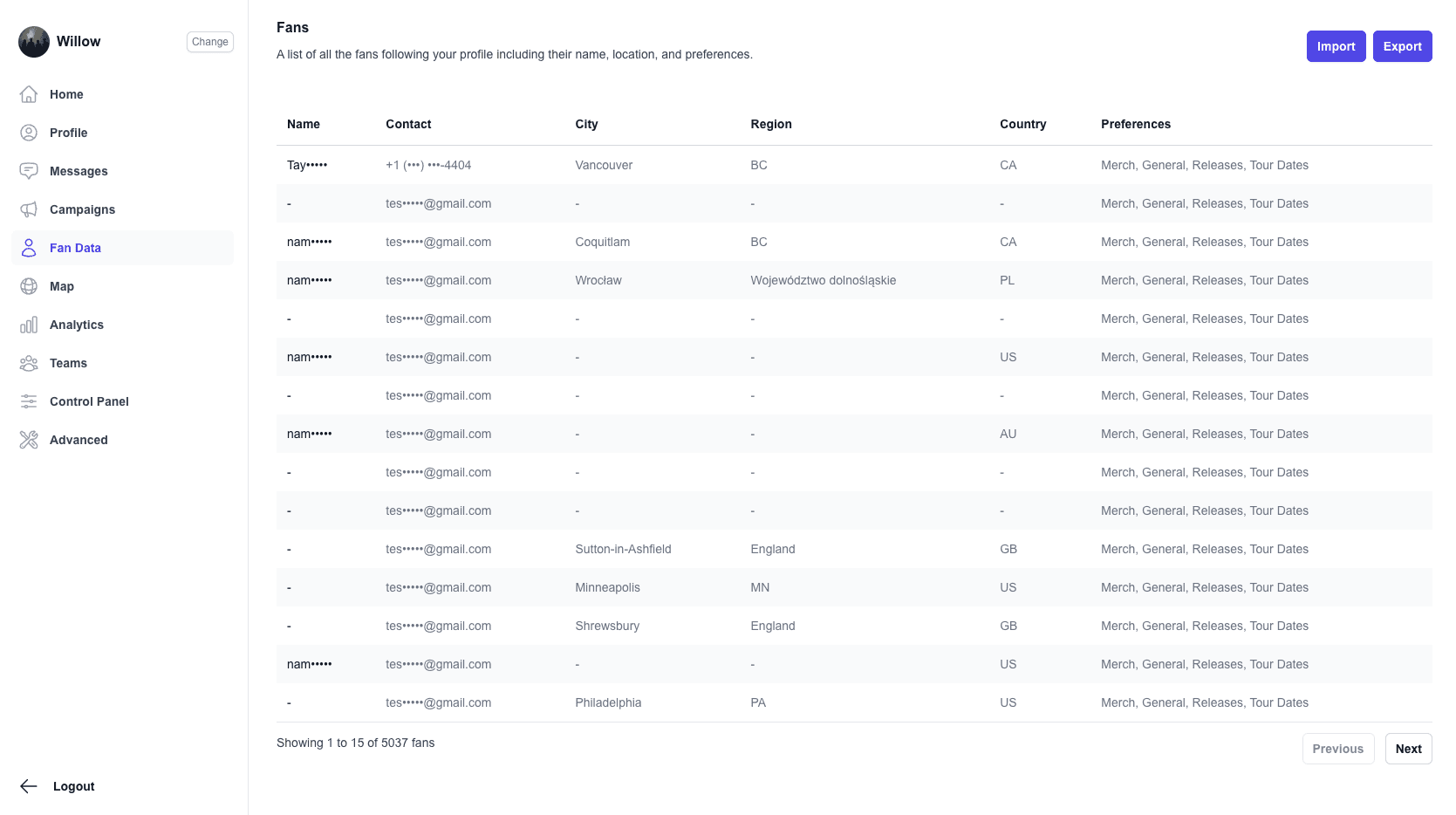
What you should see: A table displaying all your subscribers with columns for Name, Contact, City, Region, Country, and Preferences.
2. Fan Information Display
Your fan dashboard shows key information for each subscriber:
- Name: The subscriber's display name (partially masked for privacy)
- Contact: Phone number or email address (masked for security)
- Location: City, region, and country information
- Preferences: Communication channels they've opted into
Privacy and Security Features
Data Masking
OnPitch automatically masks sensitive information to protect subscriber privacy:
- Names: Partially hidden (e.g., "John D***")
- Contact Information: Phone numbers and emails are masked (e.g., "+1--1234")
Note: The subscriber information is fully available when exporting from OnPitch.
Real-time Updates
The dashboard updates automatically when new subscribers join or existing subscribers modify their preferences.
Troubleshooting
Missing Subscriber Information
- Some fields may be empty if subscribers didn't provide that information
- Location data depends on subscriber input during signup or automatic detection
- Preferences reflect the subscriber's current communication choices
Next Steps
Once you're familiar with your fan data overview, explore:
- Import/export tools for managing subscriber lists