Fan Portal and Intake Forms
Overview
Your fan portal is a public page where fans can subscribe to receive your updates. By setting up and sharing your fan portal, you make it easy for people to join your audience and stay connected with your latest news.
What You'll Need
- Completed profile setup with display name and profile picture
- Your unique OnPitch username
- Basic understanding of your target audience
Understanding Your Fan Portal
1. Accessing Your Fan Portal URL
Your fan portal is available at a simple, memorable URL that you can share anywhere.
Your URL format: onpitch.io/yourusername
What you should see: Your fan portal displays your profile picture, display name, and a subscription form where fans can enter their contact information.
Why this matters: This permanent URL never changes and can be shared across all your marketing materials, social media, and live events.
2. Fan Portal Layout and Design
Your fan portal automatically adapts to showcase your brand and make subscription easy for fans.
Key elements of your fan portal:
- Profile image: Your uploaded profile picture (circular for profiles, rectangular for campaigns)
- Display name: The name fans will recognize you by
- Subscription form: Contact method selection and input fields
3. Mobile Optimization
Your fan portal is automatically optimized for mobile devices where most fans will discover and use it.
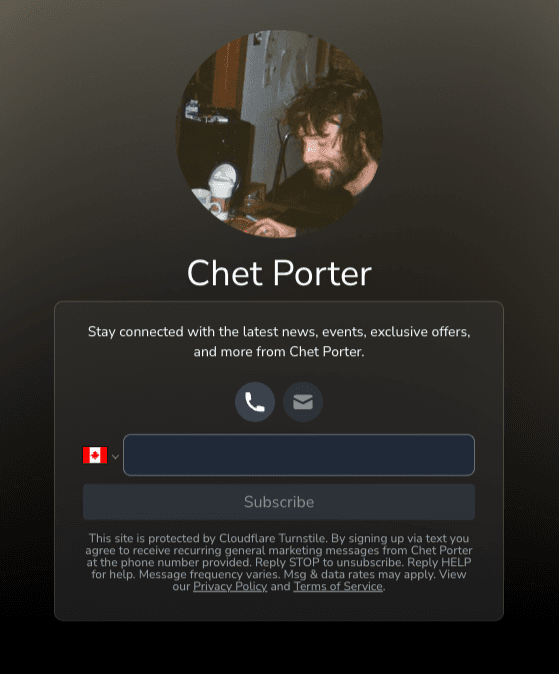
Expected result: Fans can easily subscribe whether they're on their phone, tablet, or computer.
Intake Form Structure and Functionality
1. Core Form Elements
OnPitch's intake form is designed for maximum conversion with minimal friction.
Standard form components:
- Contact method selection: SMS, WhatsApp, or Email buttons
- Contact input field: Phone number or email address entry
- Verification system: OTP code verification for all subscriptions
- Legal compliance: Automatic opt-in language and terms
2. Automatic Customization Based on Location
Your intake form automatically adapts based on where fans are located.
Geographic customization:
- North American visitors: See SMS and Email options
- International visitors: See WhatsApp and Email options (if WhatsApp enabled)
- Input validation: Phone number formats adjust to local standards
- Legal text: Compliance language adapts to regional requirements
3. Profile-Based Customization
Your intake form reflects your profile information automatically.
Profile elements that customize your form:
- Display name: Appears as the main heading
- Profile picture: Shows as circular image and blurred background
- Available channels: Based on your verified communication methods
- Notification preferences: Determines what options fans can select
How Fans Use Your Portal
1. Contact Method Selection
Fans can choose how they want to receive updates based on their location and your available channels.
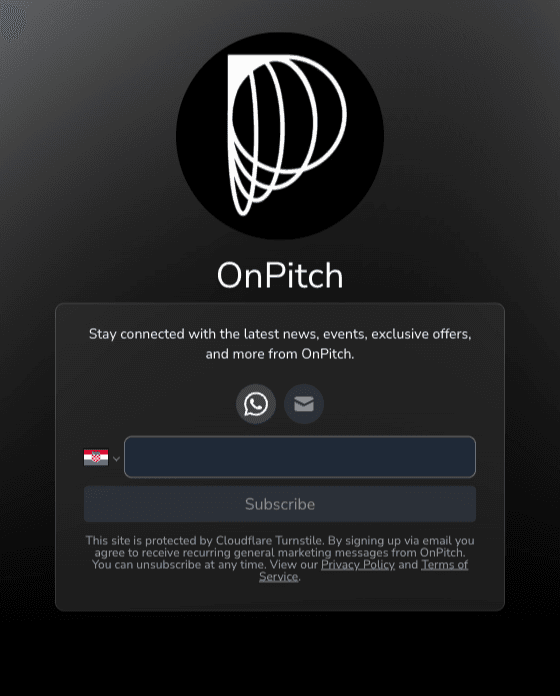
Available options depend on location:
- North America (US/Canada): SMS and Email
- International: WhatsApp and Email (if WhatsApp is enabled)
- Email: Always available
2. Verification Process
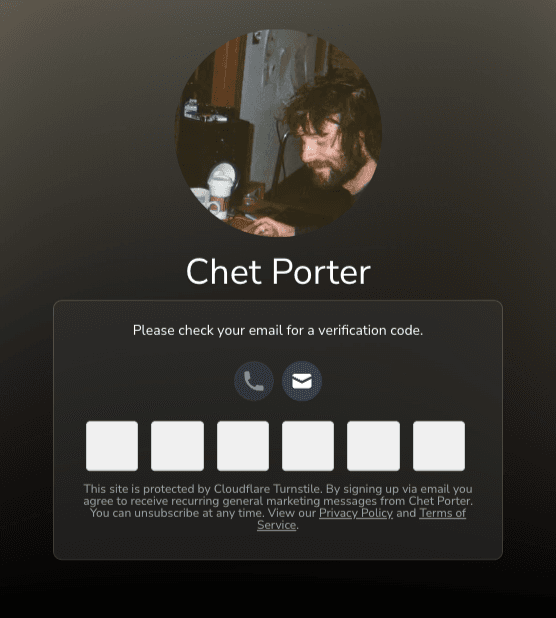
All subscriptions go through a verification process to ensure valid contact information and compliance.
Verification steps:
- Fan enters contact information
- Verification code sent via chosen method
- Fan enters 6-digit code
- Subscription confirmed and activated
3. Information Collection Strategy
Your fan portal collects the minimum information needed while respecting fan privacy.
Required information:
- Contact method (phone number or email address)
- Verification through OTP code
Optional information (collected after subscription):
- Name for personalization
- City for geographic insights
- Notification preferences for targeted content
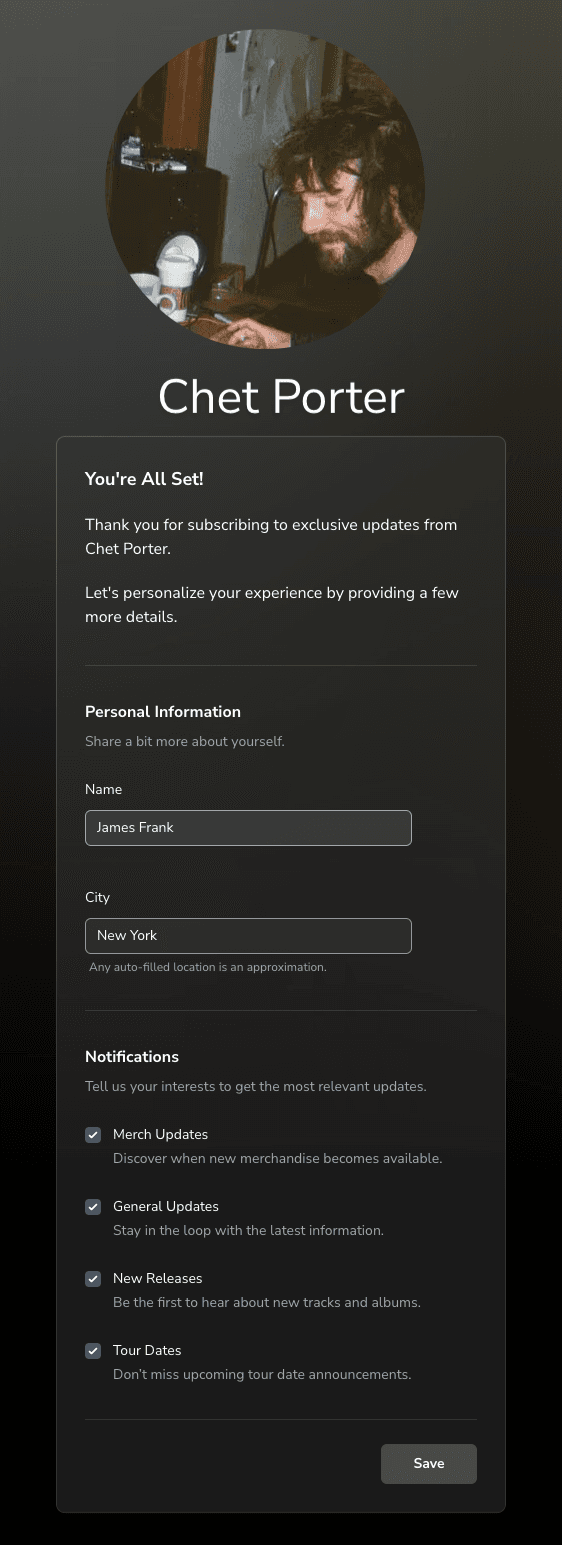
Why minimal collection works: Fans are more likely to subscribe when you only ask for essential information upfront.
Advanced Information Collection
1. Smart Information Collection
After fans subscribe, they can optionally provide additional information to improve their experience.
Additional information options:
Personal Information:
- Name: Used for message personalization ("Hi Sarah" instead of generic greetings)
- Location: City selection with Google autocomplete for accuracy
Notification Preferences:
- Content types: Updates, announcements, exclusive offers, event notifications
What fans control: They can update these preferences anytime and choose exactly what they want to receive.
2. Geographic Data Collection
Location information helps you understand your audience and target messages effectively.
How location data is collected:
- Automatic detection: IP-based location for initial targeting
- User-provided: City selection through Google autocomplete
- Optional: Fans can skip location sharing if they prefer
What you can do with location data:
- Target event announcements to specific cities
- Understand where your audience is concentrated
- Plan tours based on fan distribution
- Send location-relevant content and offers
Campaign-Specific Portals
When you create campaigns, OnPitch generates specialized versions of your fan portal for specific events.
Campaign portal features:
- Campaign name as heading instead of your display name
- Campaign description and details
- Event-specific subscription options
- Campaign image instead of profile picture
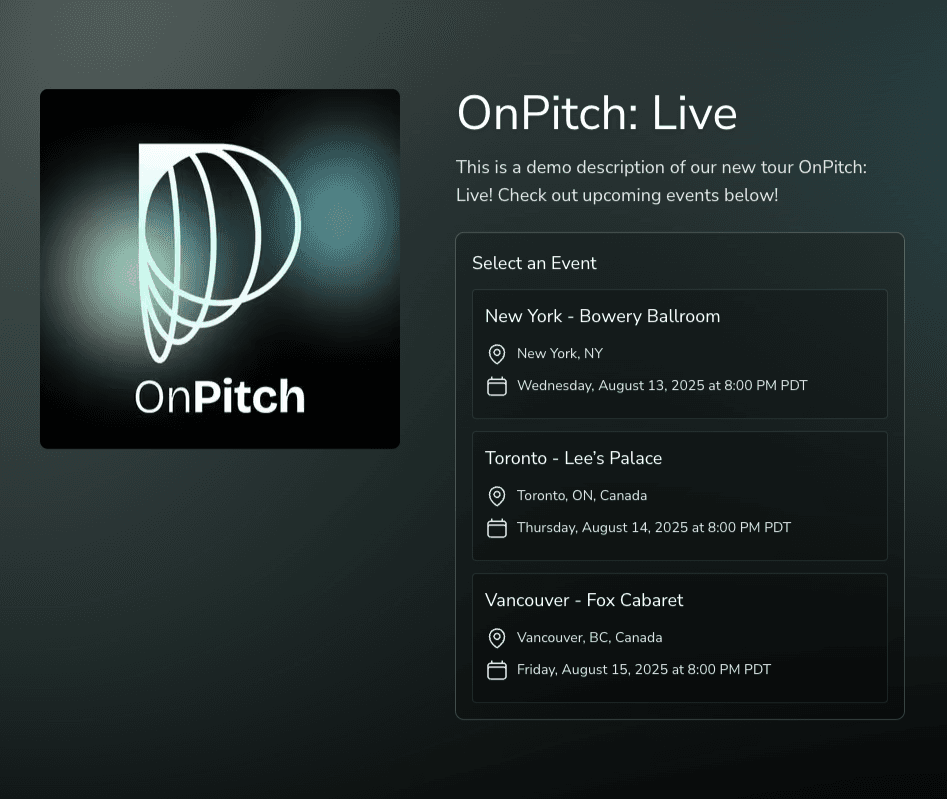
Campaign URL format: onpitch.io/yourusername/campaign-url
Campaign form differences:
- Campaign name: Replaces your display name as the heading
- Campaign description: Provides context about the specific event or promotion
- Campaign image: Uses campaign artwork instead of profile picture
- Event selection: Fans can choose specific events they're interested in
Why use campaign forms: Higher conversion rates for event-specific promotions and better audience segmentation.
Compliance and Legal Considerations
1. Automatic Compliance Features
OnPitch handles most compliance requirements automatically.
Built-in compliance:
- Opt-in language: Clear consent for receiving messages
- Unsubscribe options: Easy opt-out in every message
- Data protection: Secure storage and handling of subscriber information
- Regional compliance: TCPA, GDPR, and other regulations automatically followed
What this means: You can focus on building your audience while OnPitch ensures legal compliance.
2. Best Practices for Information Collection
OnPitch follows these guidelines to maintain trust and compliance.
OnPitch's data collection practices:
- Transparency: OnPitch clearly communicates what information is collected and why
- Minimal collection: OnPitch only requests information that will be actively used
- Secure handling: OnPitch encrypts and protects all subscriber data
- Respect preferences: OnPitch honors unsubscribe requests and preference changes immediately
Troubleshooting Common Issues
1. Low Conversion Rates
If few visitors are subscribing to your fan portal:
Possible causes and solutions:
- Unclear value proposition: Add context when sharing your link about what fans will receive
- Profile picture quality: Use a clear, high-resolution image that fans will recognize
- Display name confusion: Ensure your display name matches how fans know you
2. Verification Problems
If fans report issues with verification codes:
Common solutions:
- SMS delivery delays: Codes can take up to 2 minutes in some regions
- Email spam folders: Remind fans to check spam/junk folders
Next Steps
With your fan portal active and intake form optimized, you're ready to start building your audience and exploring advanced features like geographic targeting, contact method preferences, and subscriber management to maximize your subscriber growth and engagement.